
Windows clients

Download center

Official licensed client installers for supported products. Run as Administrator on Windows. A license key from the owner is required before use — how to request a key.

4Ready to download
5Product line
Oct 3, 2026 · 12:27 AMLatest build on server

Installers may be hosted on Google Drive — links are managed in the owner panel under Settings → Client download links.

Client installers

Choose the installer that matches your product. If a build is not listed yet, contact the owner — keys and files are issued manually.

Globe Windows · x64

Globe HG8145V5-V2

Licensed Windows client for Globe HG8145V5-V2.

  • Google Drive
  • Version 1.0.6
  • Last updated Sep 30, 2026 · 2:47 AM
Globe Windows · x64

Globe HG8145V6

Licensed Windows client for Globe HG8145V6.
  • Google Drive
  • Version 1.0.6
  • Last updated Oct 2, 2026 · 5:27 PM
PLDT Windows · x64

PLDT HG8145X6-10

Licensed Windows client for PLDT HG8145X6-10.
  • Google Drive
  • Version 1.0.7
  • Last updated Oct 2, 2026 · 5:26 PM
Converge Windows · x64

Converge EG8041V5-10

Licensed Windows client for Converge EG8041V5-10.
  • Google Drive
  • Version 1.0.6
  • Last updated Oct 3, 2026 · 12:27 AM
Converge Windows · x64

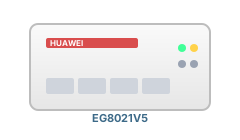
Converge EG8021V5

Licensed Windows client for Converge EG8021V5.

  • Installer not published yet
  • Request access from the owner
Coming soon Get a license key

Windows prerequisites

Required on some Windows PCs before AniBot flashers start (Visual C++ 2015–2022 x64). Install once per PC if a flasher shows a missing DLL or Python error on first run.

Microsoft · x64

Visual C++ 2015–2022 Redistributable

Official runtime used by AniBot flasher apps (Qt / PyInstaller). Required on many fresh Windows installs.

  • vc_redist.x64.exe
  • Not hosted on this site yet — use Microsoft link below

Before you install

  • Download only from this page — third-party mirrors are not supported.
  • Windows SmartScreen may prompt on first run; use the build supplied by your owner.
  • Request a license key and activate inside the app before daily use.
  • If the app fails immediately with a DLL error, install Visual C++ runtime first, then run the flasher again.