
Globe
Huawei OSS flasher
Globe HG8145V5-V2
Licensed Windows client for Globe HG8145V5-V2.
GLOBE-HG8145V5-V2

Licensed client flashers · HWID activation
Stop juggling unlicensed builds — run official AniBot Windows clients for supported ONT models. Request a key from the owner, activate once on your PC, and stay validated online.
Supported hardware
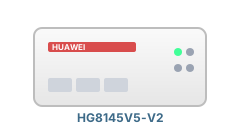 Globe HG8145V5-V2
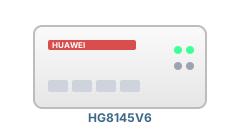 Globe HG8145V6
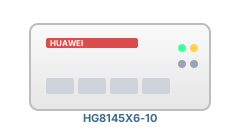 PLDT HG8145X6-10
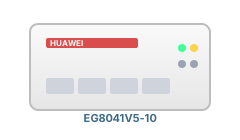 Converge EG8041V5-10
 Converge EG8021V5
Globe HG8145V5-V2
Globe HG8145V6
PLDT HG8145X6-10
Converge EG8041V5-10
Converge EG8021V5
Globe HG8145V5-V2
Globe HG8145V6
PLDT HG8145X6-10
Converge EG8041V5-10
Converge EG8021V5
Converge EG8021V5
Globe HG8145V5-V2
Globe HG8145V6
PLDT HG8145X6-10
Converge EG8041V5-10
Converge EG8021V5
Globe HG8145V5-V2
Globe HG8145V6
PLDT HG8145X6-10
Converge EG8041V5-10
Converge EG8021V5
 Globe
Globe
 PLDT
PLDT
 Converge
Globe
PLDT
Converge
Globe
PLDT
Converge
Globe
PLDT
Converge
Globe
PLDT
Converge
Converge
Globe
PLDT
Converge
Globe
PLDT
Converge
Globe
PLDT
Converge
Globe
PLDT
Converge
Product suite
Each product is a separate Windows build with its own license keys and API product ID — pick the line that matches your deployment.
Licensed Windows client for Globe HG8145V5-V2.
GLOBE-HG8145V5-V2
Licensed Windows client for Globe HG8145V6.
GLOBE-HG8145V6
Licensed Windows client for PLDT HG8145X6-10.
PLDT-HG8145X6-10
Licensed Windows client for Converge EG8041V5-10.
CONVERGE-EG8041V5-10
Licensed Windows client for Converge EG8021V5.
CONVERGE-EG8021V5
Licensing
Request a key from the owner, activate once on your PC, then flash with the licensed client.
Contact the owner, name your product, and send your PC ID from the license screen in the client.
Keys are issued from the operator panel — not on this public site. When approved, you get an ANIBOT- license key.
Run the installer as Administrator, enter your key, and complete online activation. First use binds HWID to that PC.
FAQ
Licensed Windows flasher clients for supported ISP/ONT models. Each build checks keys against this panel over HTTPS with HWID binding.
No. Public visitors request keys from the owner. Operators sign in to generate keys, manage resellers, and control product availability.
No. Each model has its own product ID and key pool — a key for one flasher does not unlock another.
Use the download center for the matching product. Run as Administrator on Windows x64.
Download the build for your model, then request a key from the owner before first run.